Avionics Stack
Christopher Edwards
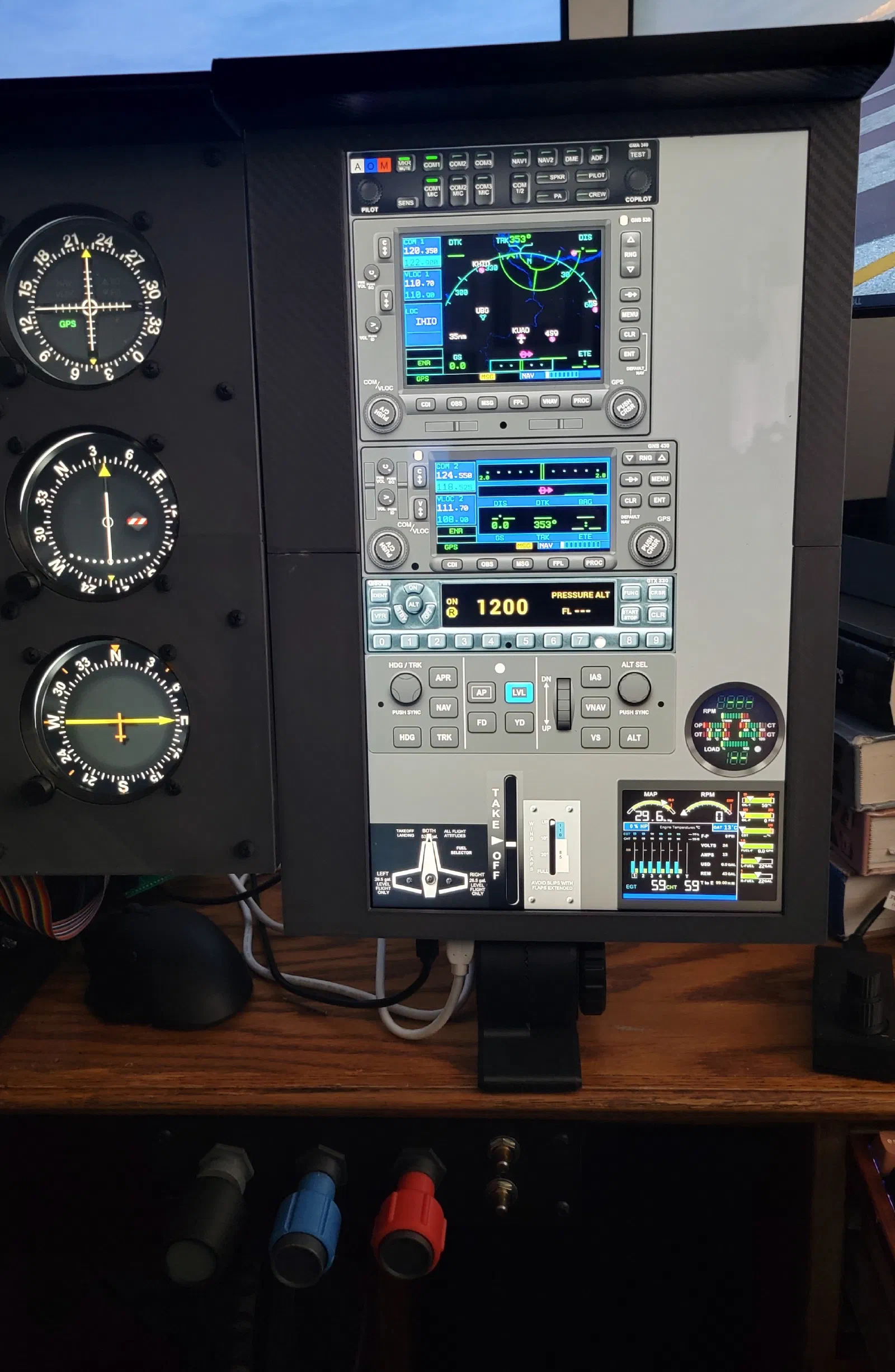
Building the Initial Avionics Stack
Project Journal — Initial Avionics Stack
As the physical cockpit controls continued to develop, I reached the point where I needed a practical way to add the avionics without committing to a final hardware design.
The solution was to build an initial avionics stack around a touchscreen. This gave me a way to match the layout of the current panel while keeping the avionics flexible as the rest of the simulator evolved.
Initial Concept
The goal was fairly simple: create an avionics stack that physically fits the existing panel, but don’t try to solve the final avionics hardware yet.
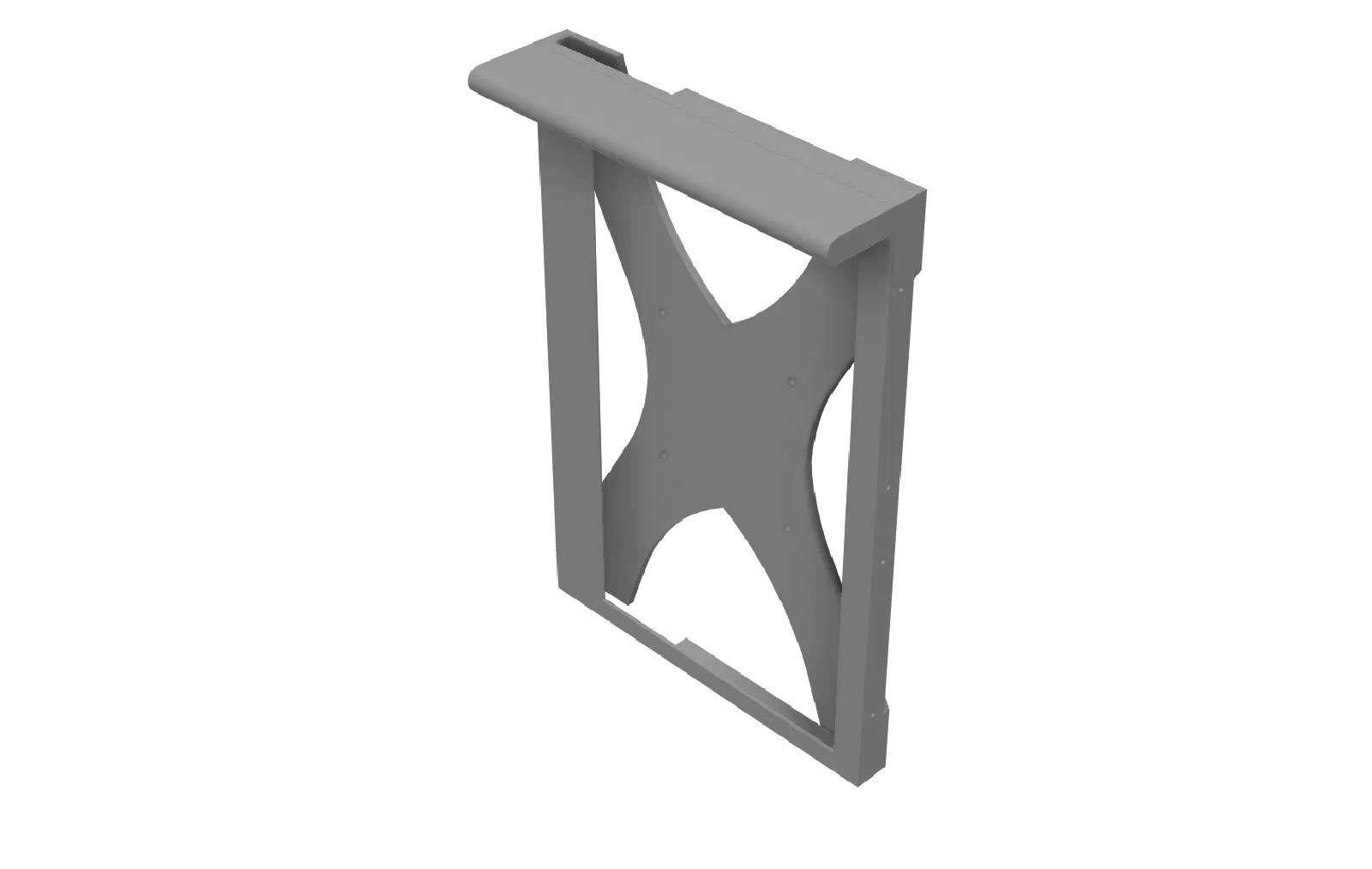
I built a frame around a touchscreen and positioned it to match the location and proportions of the avionics area in the panel.
This approach also allowed me to take advantage of Air Manager. Rather than designing a dedicated piece of hardware for a specific radio or GPS immediately, I could use the touchscreen to experiment with different avionics configurations.
That flexibility was important because the rest of the cockpit was still being developed.
Building the Stack
The first step was creating the physical frame for the touchscreen.
The frame needed to integrate with the existing panel rather than looking like a separate display added afterward. Getting the position right was important because the eventual goal is for the avionics to become a permanent part of the cockpit.
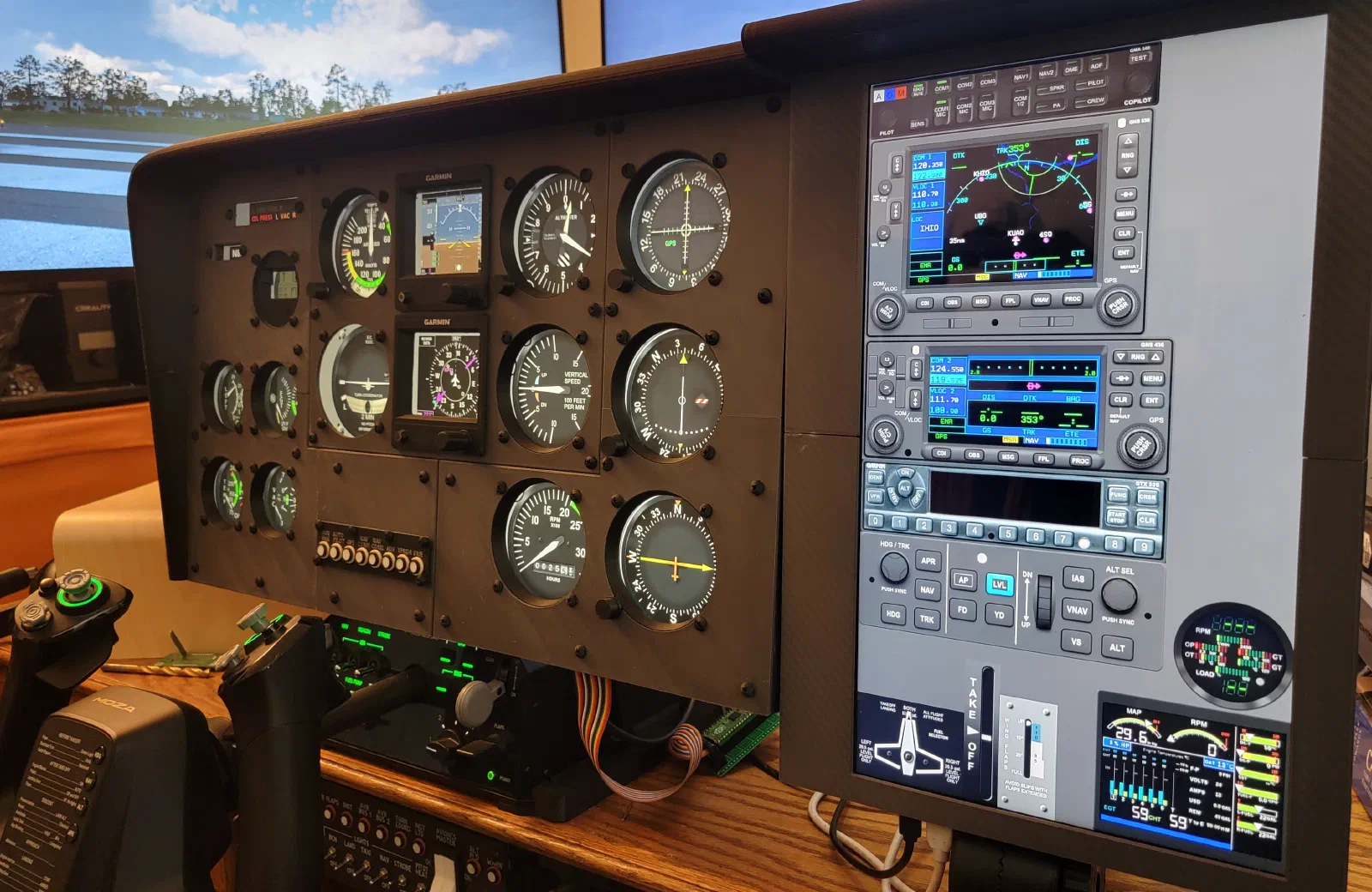
Once installed, the touchscreen provided a reasonable representation of the avionics stack while requiring very little dedicated hardware.
Problem
At this stage of the project, there was a temptation to start designing physical avionics immediately.
The problem was that I didn’t yet know exactly which avionics controls were worth reproducing.
A physical GPS, radio, or other avionics control can involve a significant amount of mechanical and electrical work. Designing those components before having a chance to use them in the context of a complete cockpit could result in spending a lot of effort reproducing controls that aren’t particularly important to the way I actually fly the simulator.
I needed a way to get the avionics into the cockpit now and learn from using them.
Change
The touchscreen became the temporary avionics hardware.
Air Manager provides the software flexibility to change what is displayed without changing the physical installation. This means I can experiment with different avionics layouts and configurations while continuing to build the rest of the cockpit.
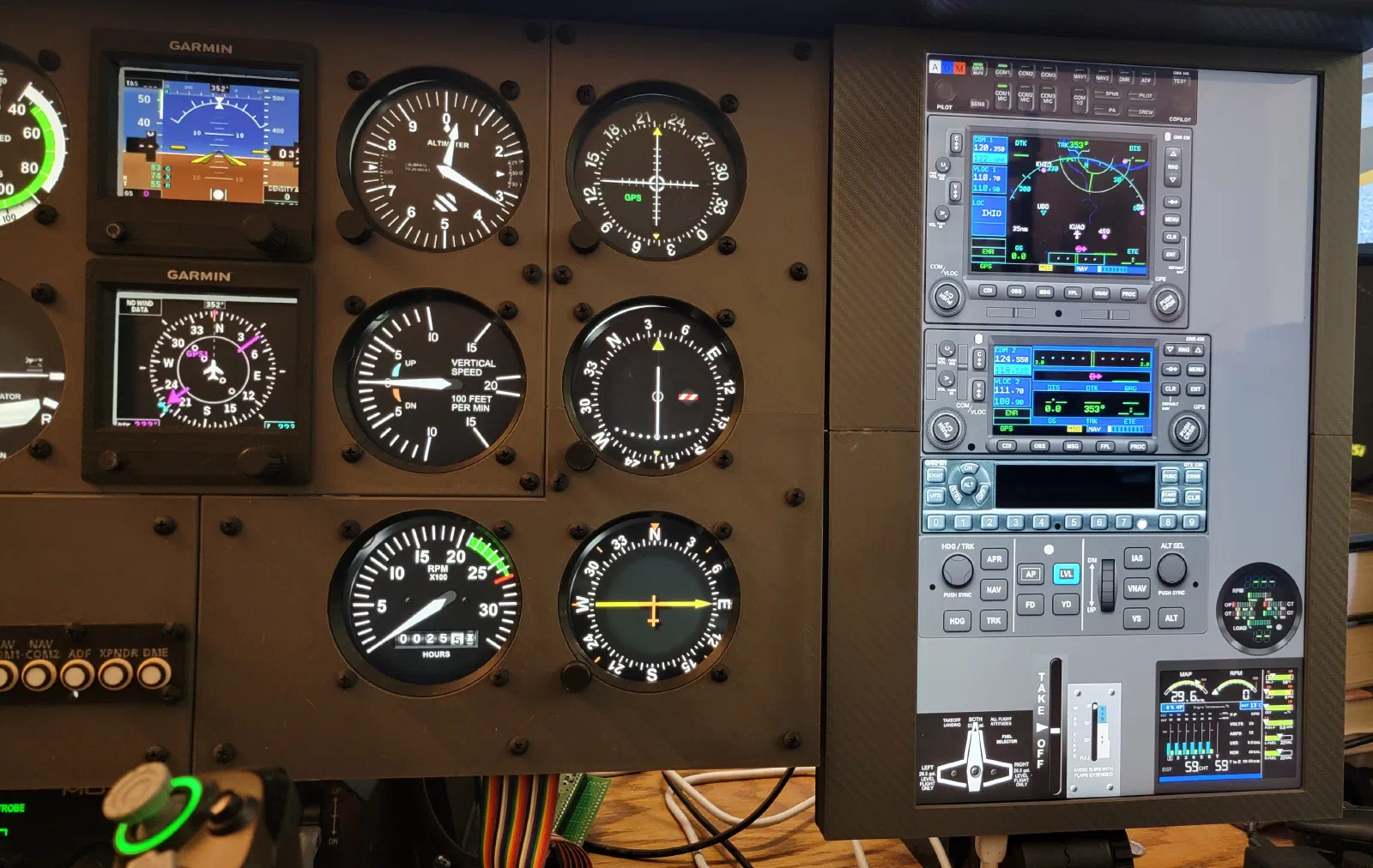
This also fits well with the incremental approach I’ve been taking with the simulator. Physical controls can be added one at a time while the touchscreen fills in everything that hasn’t been built yet.
Result
Adding the avionics stack significantly changed how complete the simulator felt.
Combined with the physical controls already installed, the simulator now captures the vast majority of the controls needed to operate the aircraft.
Instead of testing individual components independently, I could now sit down and conduct a complete flight.
That was an important milestone. The simulator became useful not just as a collection of hardware projects, but as a complete cockpit that could be operated from start to finish.
Testing
The real test was simply flying with it.
Using the simulator as a complete cockpit made it much easier to identify which controls were important and which ones were not worth the effort of building physically.
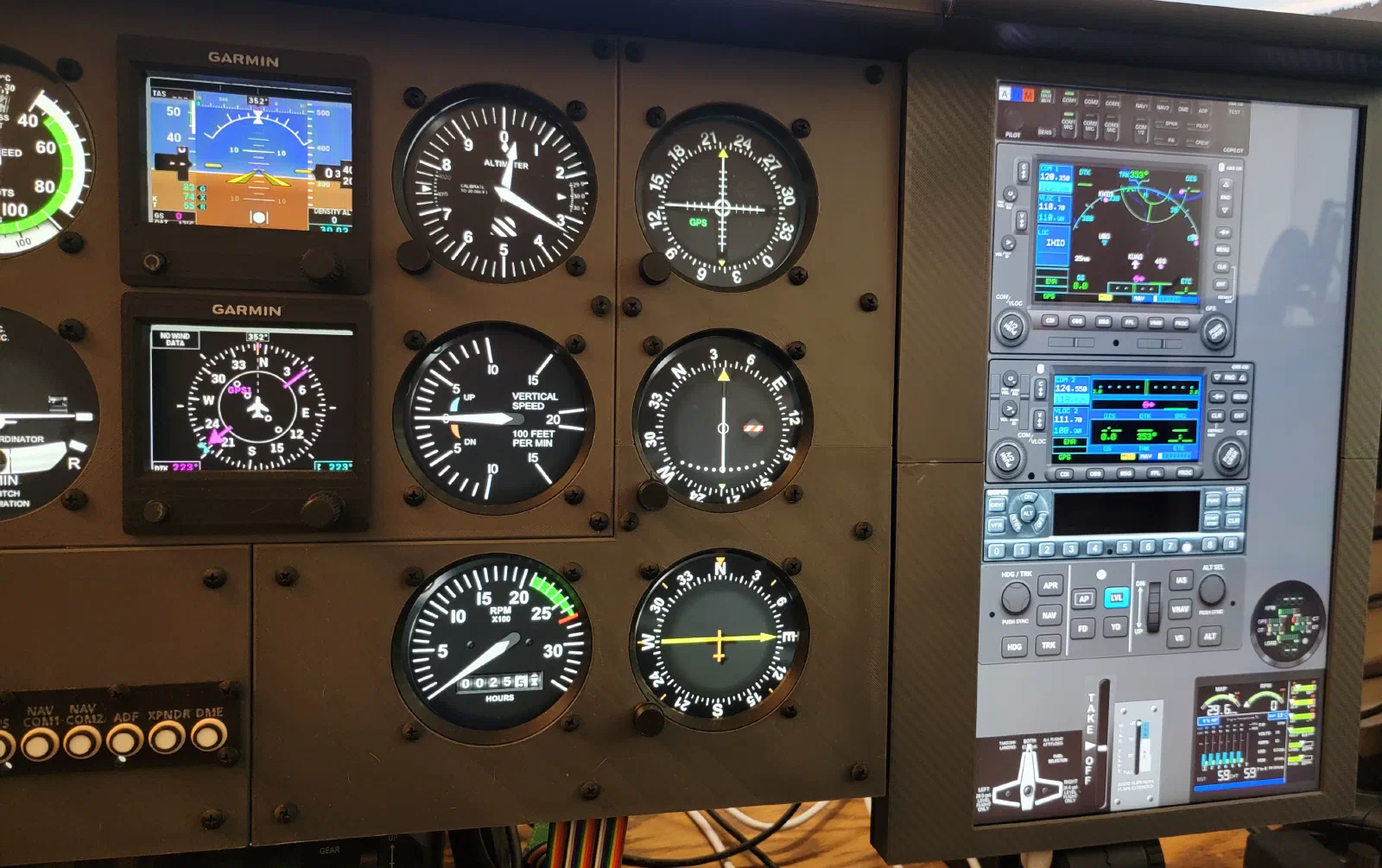
Some functions benefit from having a physical knob or button. Others work perfectly well through the touchscreen.
Being able to use the simulator in a training-aircraft-style configuration also exposed interactions and workflow issues that aren’t obvious when working on individual components.
This gave me a better way to decide what to build next.
Rather than asking, “What avionics can I reproduce?”, the more useful question became, “What avionics controls would actually improve the cockpit?”
Lessons Learned
The biggest lesson from the initial avionics stack was the value of getting something usable into the cockpit early.
The touchscreen isn’t the final solution, but it provides a working representation of the avionics while the physical hardware is being developed.
It also provides a way to make hardware decisions based on experience rather than assumptions.
The development cycle becomes:
Build → Fly → Evaluate → Identify What Matters → Build the Next Component
That approach should help keep the physical avionics focused on the controls that provide the most benefit.
What’s Next
The touchscreen avionics stack is intended to be temporary.
Eventually, this portion of the panel will be replaced with dedicated avionics containing physical buttons and knobs. The touchscreen provides the flexibility to determine exactly what those physical controls should be before committing to the final designs.
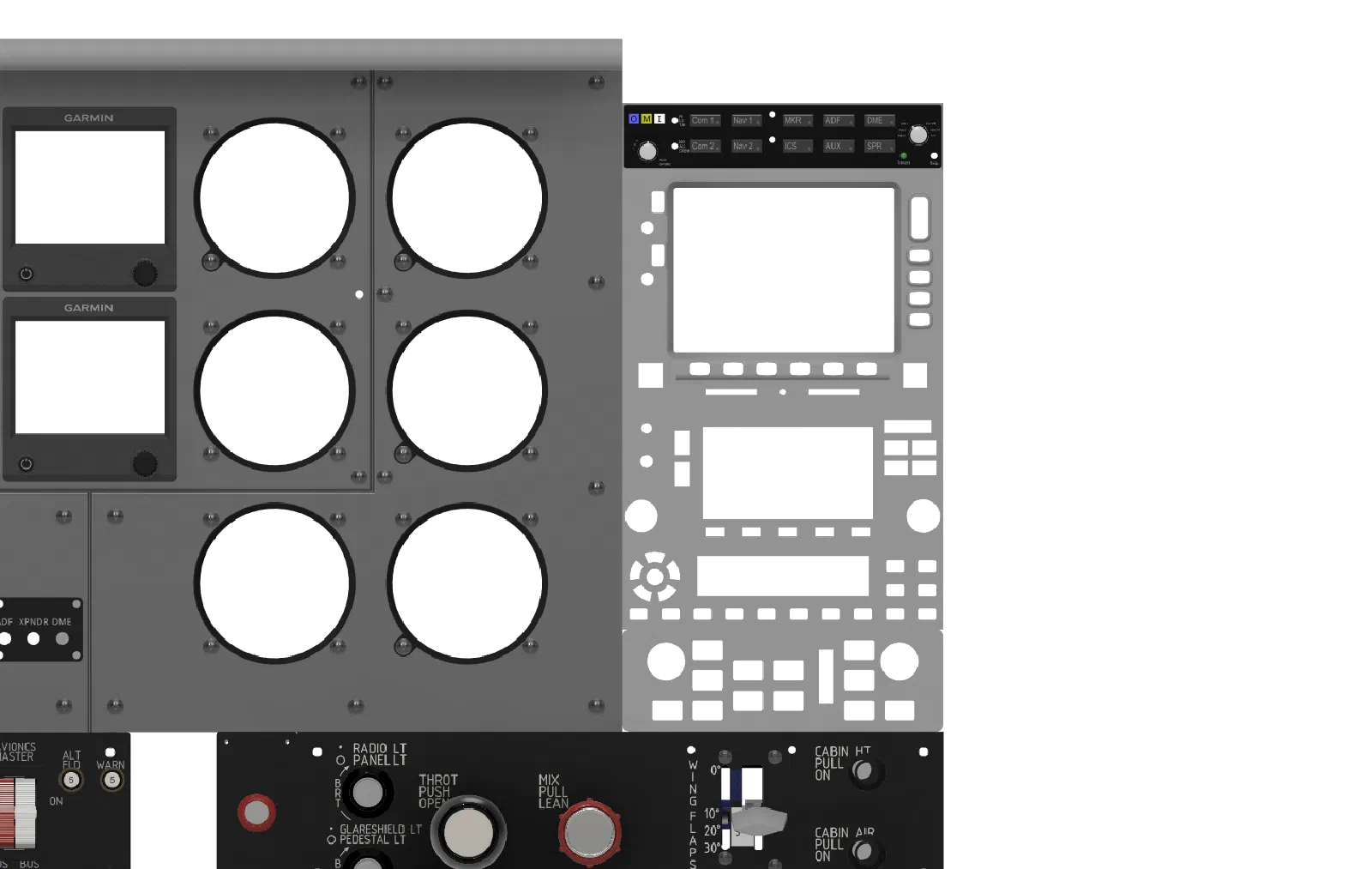
For now, the initial avionics stack fills an important gap in the simulator. It provides enough functionality to fly the aircraft while giving me a platform for experimenting with different configurations.
More importantly, it allows the simulator itself to become a test environment for the next generation of physical cockpit components.