Parking Brake
Christopher Edwards
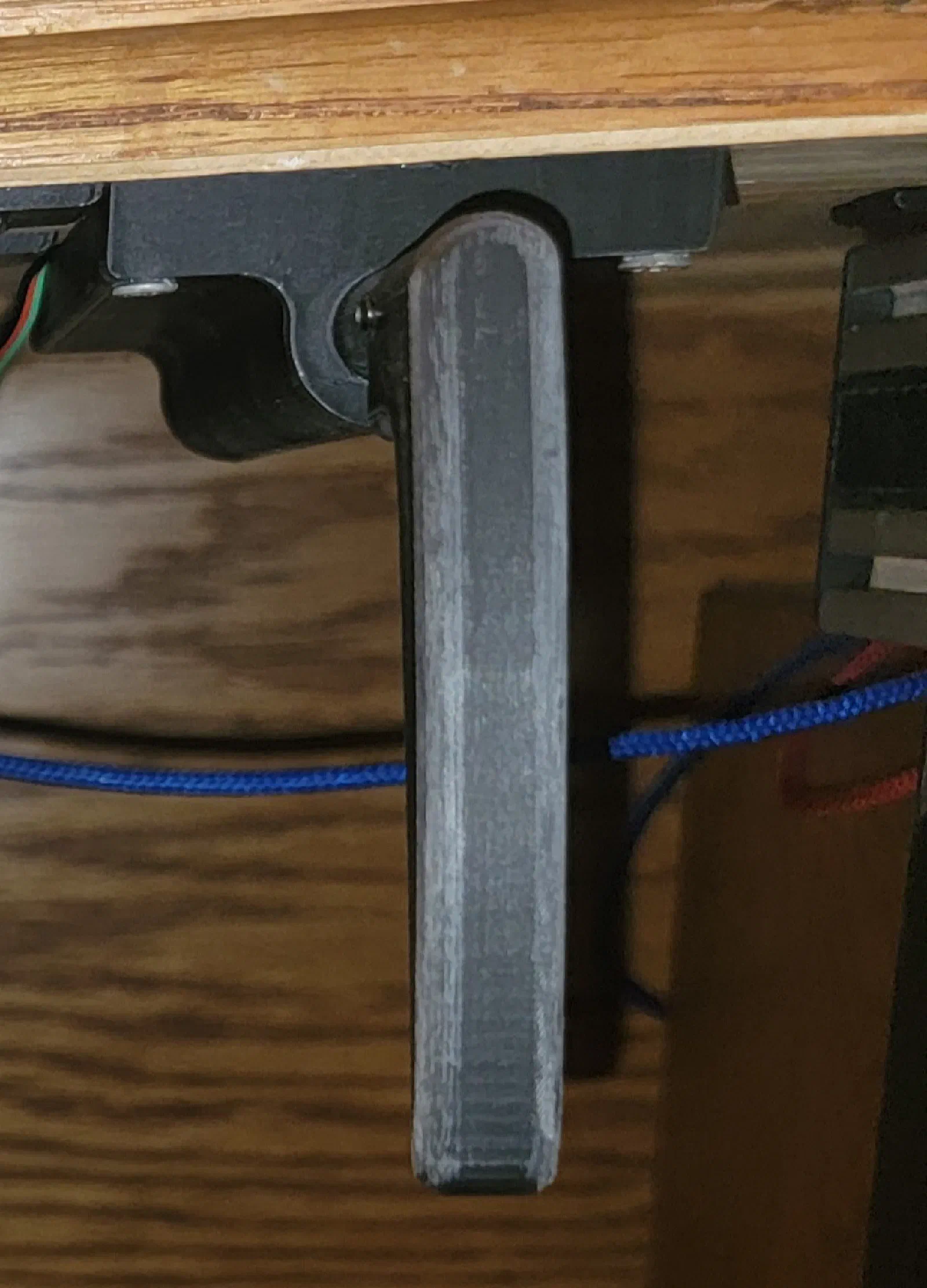
Adding an Aircraft-Style Parking Brake to the Switch Box
Flight Simulator Build Journal — Switch Box
The switch box started as a way to bring the basic aircraft switches into the simulator cockpit, but as the project has progressed, I have been paying more attention to something that is easy to overlook: how the controls feel.
A parking brake is a good example.
In a simulator, it would be easy to implement the parking brake as a simple toggle switch. Pull it up, the brake is set. Push it down, the brake is released.
That works electrically, but it does not really feel like an aircraft control.
The parking brake I wanted to add has several distinct positions as it is pulled, giving it a series of mechanical clicks. Releasing it also requires a deliberate twist of the handle. That combination of movement, resistance, and release action makes it much closer to the type of control found in the aircraft I am using as inspiration for the simulator.
Why Add a Parking Brake?
The switch box already handles several of the aircraft’s primary switches, including the electrical and ignition controls. Adding the parking brake extends the box beyond simply reproducing switches and starts moving it toward a more complete physical representation of the cockpit controls.
The parking brake also has an important role in the simulator workflow.
During normal aircraft operation, the parking brake is something that gets used as part of a checklist rather than being manipulated continuously. That makes the physical control particularly useful for this project.
The goal isn’t simply to make the simulator recognize:
Parking brake = ON
Instead, I want the physical action of setting and releasing the brake to become part of the cockpit workflow.
The Real Control Has More Going On Than a Switch
The interesting part of the parking brake is the mechanism itself.
Rather than being a simple two-position control, the handle can be pulled through multiple positions. Each position provides a noticeable mechanical click as the brake is engaged.
Releasing the brake also requires a twist of the handle.
That creates a very different interaction from a toggle switch:
- Pull the handle outward.
- Feel the mechanism move through its positions.
- Stop at the desired position.
- Twist the handle to release it.
- Push it back into the panel.
That sequence is exactly the sort of interaction I want to preserve in the simulator.
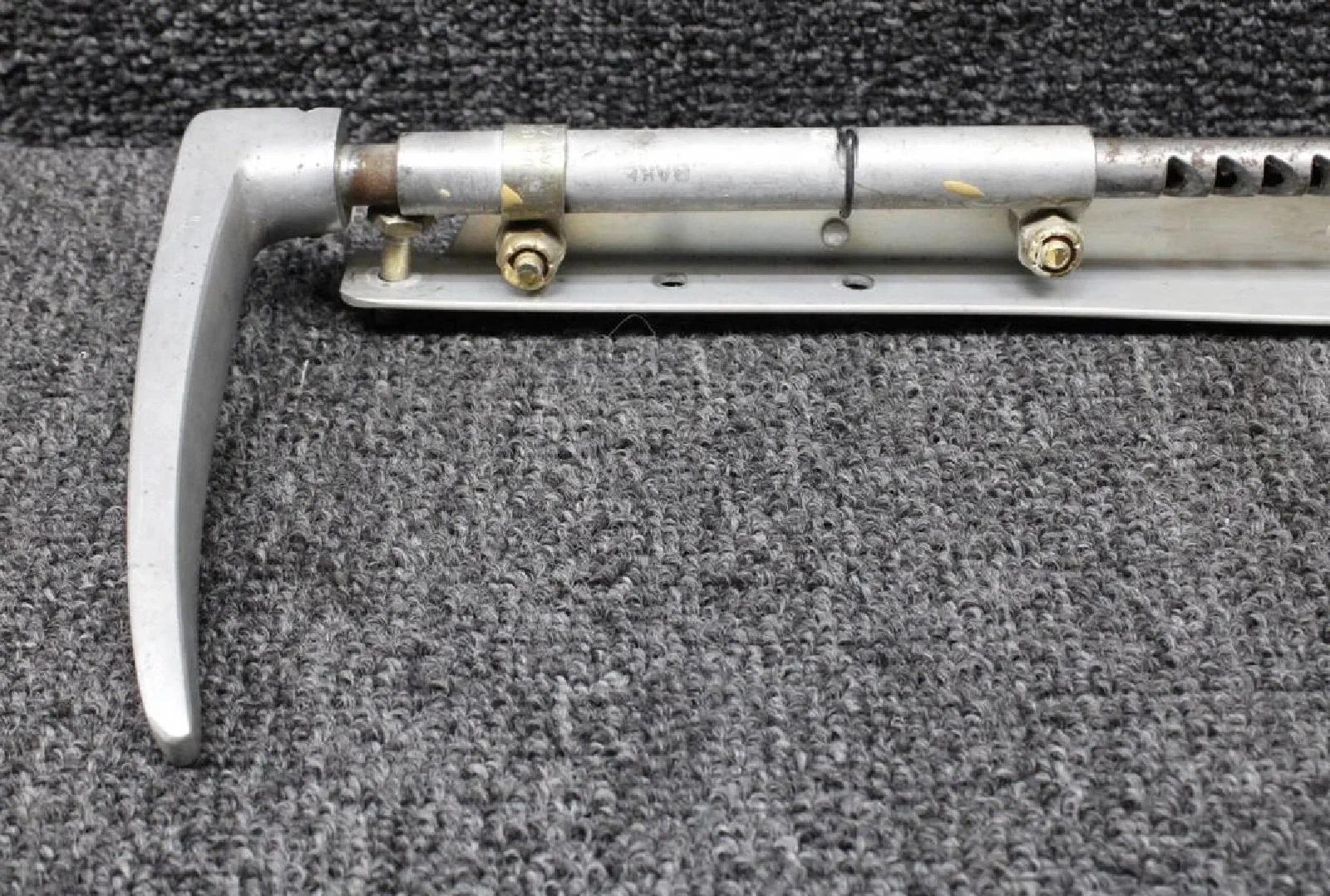
Mechanical Design
The first step was figuring out how to reproduce that interaction without trying to duplicate every detail of the original aircraft mechanism.
The physical simulator control needs to provide three things:
- Pull travel
- Multiple detented positions
- Twist-to-release action
The electrical interface can remain relatively simple. The mechanical assembly is where most of the work is.
This is another example of a design decision in this project where the electronics are not necessarily the difficult part. A microcontroller can easily determine whether a switch is open or closed.
Creating a control that feels right is considerably more interesting.
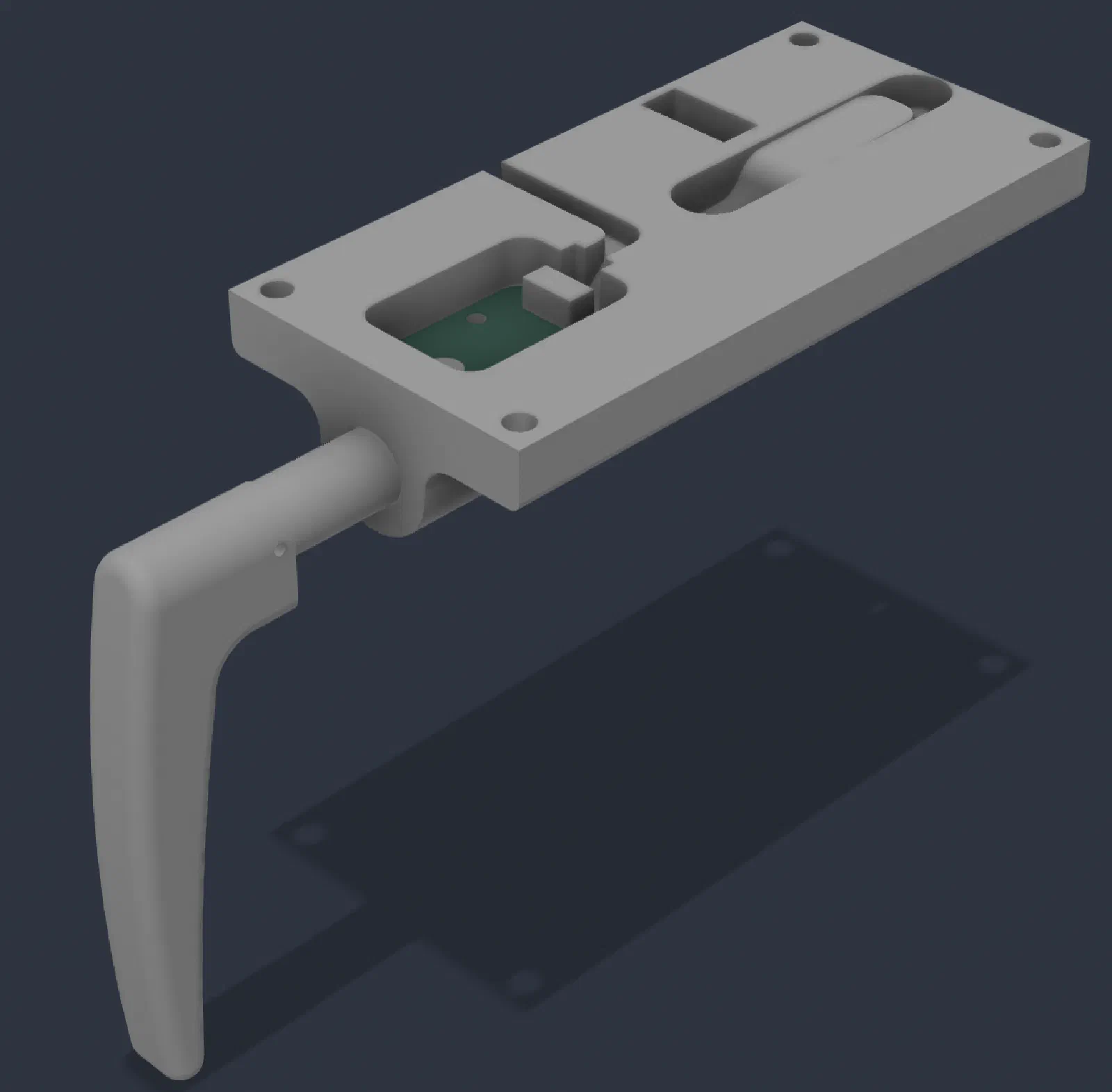
Adding the Detents
The multiple clicks were an important part of the design.
A single smooth pull would not provide the same tactile feedback as the aircraft control, so the mechanism needs defined positions along its travel.
The detents provide feedback as the handle is pulled:
Pull → Click → Click → Click → Set
The exact number and spacing of the positions can be adjusted during prototyping, but the important part is that the user can feel the brake moving through distinct positions.
This also gives the control a much more deliberate character than a spring-loaded or simple toggle mechanism.
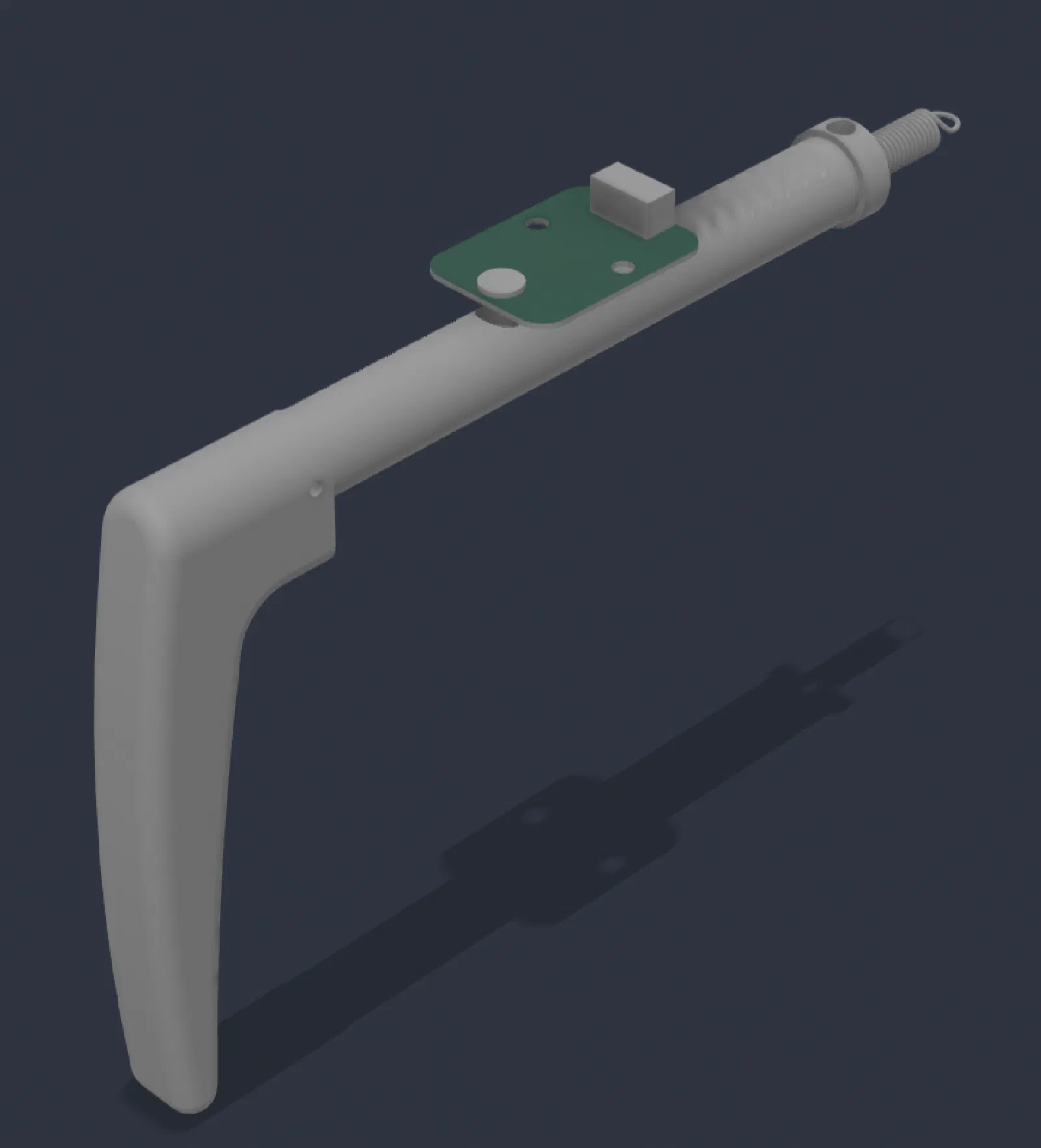
The Twist-to-Release Mechanism
The release mechanism was another important detail.
I did not want the brake to simply spring back when the handle was pulled. The release should require a deliberate action.
The basic interaction is:
Pull → Set → Twist → Release → Push
This makes it much harder to accidentally release the parking brake simply by moving the handle.
More importantly for the simulator, it reproduces a physical action that is familiar from operating an actual aircraft.
Switch Box Integration
Once the mechanical design was working, the next challenge was fitting it into the existing switch box.
The parking brake needs to be positioned where it is easy to reach while still looking like it belongs with the other controls.
This is becoming a recurring theme with the switch box. Individual controls can be designed independently, but they ultimately need to work together as a single panel.
The mounting location also needs to account for the force applied to the handle.
Unlike a normal toggle switch, the parking brake is pulled toward the user. That means the mounting structure needs to withstand repeated mechanical loads without flexing the enclosure.
Electrical Interface
From the simulator’s perspective, the electrical interface can remain relatively straightforward.
The parking brake ultimately needs to provide the simulator with its current state.
The mechanical mechanism handles the user interaction while the switch or sensor provides the electrical state used by the simulator software.
This separation is useful because it means the physical mechanism does not have to mirror the complexity of the software interface.
The hardware answers a simple question:
Is the parking brake set or released?
The simulator software then maps that state to the appropriate aircraft control.
First Prototype
The first prototype was primarily about validating the mechanical interaction.
Before worrying about the final enclosure or production-quality hardware, I wanted to answer a few basic questions:
- Does the handle have enough travel?
- Are the detents noticeable?
- Does the mechanism stay securely in each position?
- Is the twist action intuitive?
- Can the brake be released without excessive force?
- Does the mounting remain rigid when the handle is pulled?
These are difficult questions to answer purely from CAD.
The control needs to be physically manipulated before the design can really be evaluated.
Testing the Feel
The most important test wasn’t an electrical test.
It was simply using the control.
Pulling the handle through the detents should provide enough resistance to make each position obvious without requiring excessive force. The release should also require a deliberate twist rather than feeling like another switch position.
This is one of those areas where small mechanical changes make a surprisingly large difference.
Changing spring tension, detent geometry, handle travel, or friction can completely change the character of the control.
Integration With the Simulator
After the mechanical control was working, the next step was connecting it to the simulator.
The software side is intentionally simple. The physical control provides the parking-brake state, which is then mapped to the corresponding simulator command.
The important part is that the physical interaction comes first.
I don’t want the software to dictate the mechanical design. The goal is to create a control that behaves naturally and then make the simulator respond appropriately to it.
Lessons Learned
The parking brake reinforced something that has come up repeatedly while building this simulator: a control can be electrically correct and still feel completely wrong.
A two-position switch could reproduce the software state of a parking brake, but it would miss the physical interaction.
The multiple detents provide tactile feedback while pulling the brake, and the twist-to-release mechanism adds another deliberate step to the operation.
Those details may seem minor when looking at the simulator from the outside, but they make a noticeable difference when actually sitting in the cockpit.
This is also another reason I am approaching the simulator as an engineering project rather than simply assembling a collection of USB controls. Each control has its own mechanical requirements, electrical interface, and integration challenges.
What’s Next
With the parking brake added, the switch box is becoming much more representative of the controls I want to have in the final cockpit.
There are still opportunities to refine the mechanism, particularly around the detent feel, handle geometry, mounting, and overall appearance.
The current version is primarily a functional prototype. As the simulator hardware matures, these controls can be refined along with the rest of the panel.
For now, the important milestone is that the parking brake no longer behaves like a simple switch.
Pull. Click. Set. Twist. Release.
That physical sequence is what makes it feel like an aircraft control rather than just another simulator input.